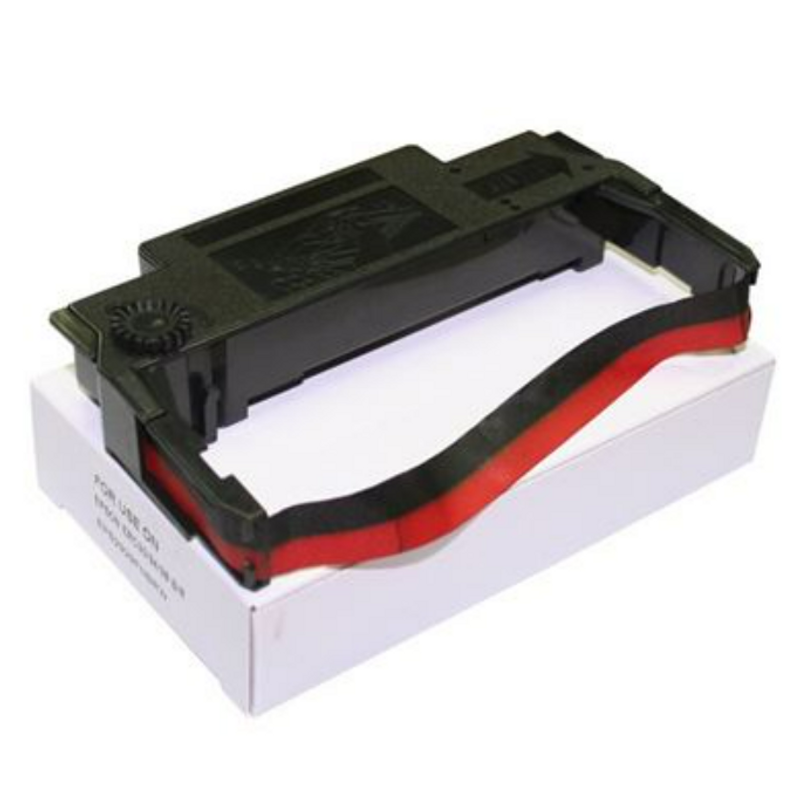
INK RIBBON BLACK / RED
Code: STA005
Special Order
$7.70 Inc GST
$7.00 Ex GST
0.0
0 reviews
Estimated Delivery Date: 16 Nov 2026
Available on this delivery: 10
Available on this delivery: 10
Ink Ribbon Black / Red (ERC-30 Type) for Impact Docket Printers
A two-colour black and red ink ribbon to suit impact (dot matrix) docket printers that take an ERC-30 type ribbon cartridge. These printers are common in commercial kitchens and bars, where they print orders onto bond or NCR paper rolls.
Two-colour ribbons let your POS print key details, such as modifiers, allergies or table numbers, in red so they stand out on the docket. Keep a spare on hand so a faded ribbon never slows down service.
Key Features
- Black and red two-colour ink ribbon
- Supplier code ERC30 (B/R)
- For impact (dot matrix) docket printers
- Lets important order details print in red
- Use with bond or NCR paper rolls
- Quick cartridge change
Suitable For
- Commercial kitchen order printers
- Bar docket printers
- Cafe and restaurant POS systems
Specifications
| Specification | Description |
|---|---|
| Item Code | STA005 |
| Supplier Code | ERC30(B/R) |
| Brand | Acorn |
| Type | Ink ribbon cartridge |
| Colours | Black / red |
| Ribbon Style | ERC-30 type |
| Suits | Impact (dot matrix) docket printers taking ERC-30 ribbons |
Frequently Asked Questions
Will this fit my printer?
It suits printers that take an ERC-30 type ribbon. Check the code on your current ribbon or in the printer manual. If you are not sure, send us the printer make and model and we will confirm.
Why use a black and red ribbon?
Most POS systems can print selected lines in red, such as allergies, modifiers or rush orders. A two-colour ribbon makes those details stand out to the chef.
Do I need a ribbon for thermal paper?
No. Thermal printers print with heat. Ribbons are only for impact printers using bond or NCR paper.
How do I know when to change the ribbon?
When print turns pale or patchy, swap the ribbon. Faded dockets are easy to misread during a busy service.
How do I fit it?
Open the printer cover, lift out the old cartridge, then clip the new one in and turn the knob to take up any slack in the ribbon before closing the cover.
Need a Hand?
Not sure which roll suits your printer? Send us the printer make and model and our team will match the right size and paper type.
Hotel Agencies Email: [email protected]
Phone: 03 9411 8888
Key Features
| Available in: | EA |
| Brand: |
Australia Wide Delivery
Hotel Agencies delivers Australia wide, this includes NSW, QLD, SA, NT, WA, ACT and TAS. For orders within Victoria please see our weekly delivery schedule.
Car Park Onsite
Hotel Agencies is the only Melbourne dealer with a private 16 bay customer car park. Visit our retail store today 298 Nicholson Street Fitzroy 3065.
Click & Collect
Place your order online and collect your order on the same day! Orders placed before 3pm during business ours can be collected same day.